安装 MSYS
MSYS镜像下载网站
https://mirrors.tuna.tsinghua.edu.cn/msys2/distrib/x86_64/
MSYS 下载管理
MSYS使用pacman -S <包名>下载,默认的存储位置在 MSYS安装位置\var\cache\pacman
详细指令使用
https://blog.csdn.net/hustlei/article/details/86687621
MSYS换源
https://www.jianshu.com/p/60d77dd56645
MSYS更改home文件位置
在系统环境变量中新建HOME,后面打开MSYS后就会更新目录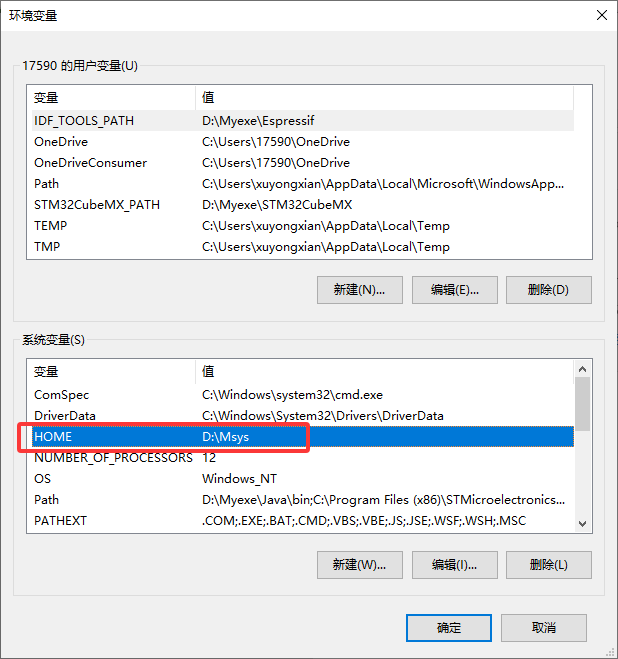
下载源码
下载FFMPEG
gitee镜像下载更快
#下载
git clone https://gitee.com/mirrors/ffmpeg.git
#切换分支到4.4
git checkout  remotes/origin/release/4.4
下载X264
gitee下载更快
git clone https://gitee.com/zgdcool/x264.git
评论已关闭